The Register webpage explains the software activation and registration process after purchase. Users must submit their user name, company name, and license number through the appropriate registration option found in the Help menu, About button, or Register screen within each program. After the information is verified, a registration or access code is issued, which must then be entered to unlock the software. The page also provides guidance on how to locate the license number and where to enter the registration or access code, with screenshots illustrating each step.
License Number
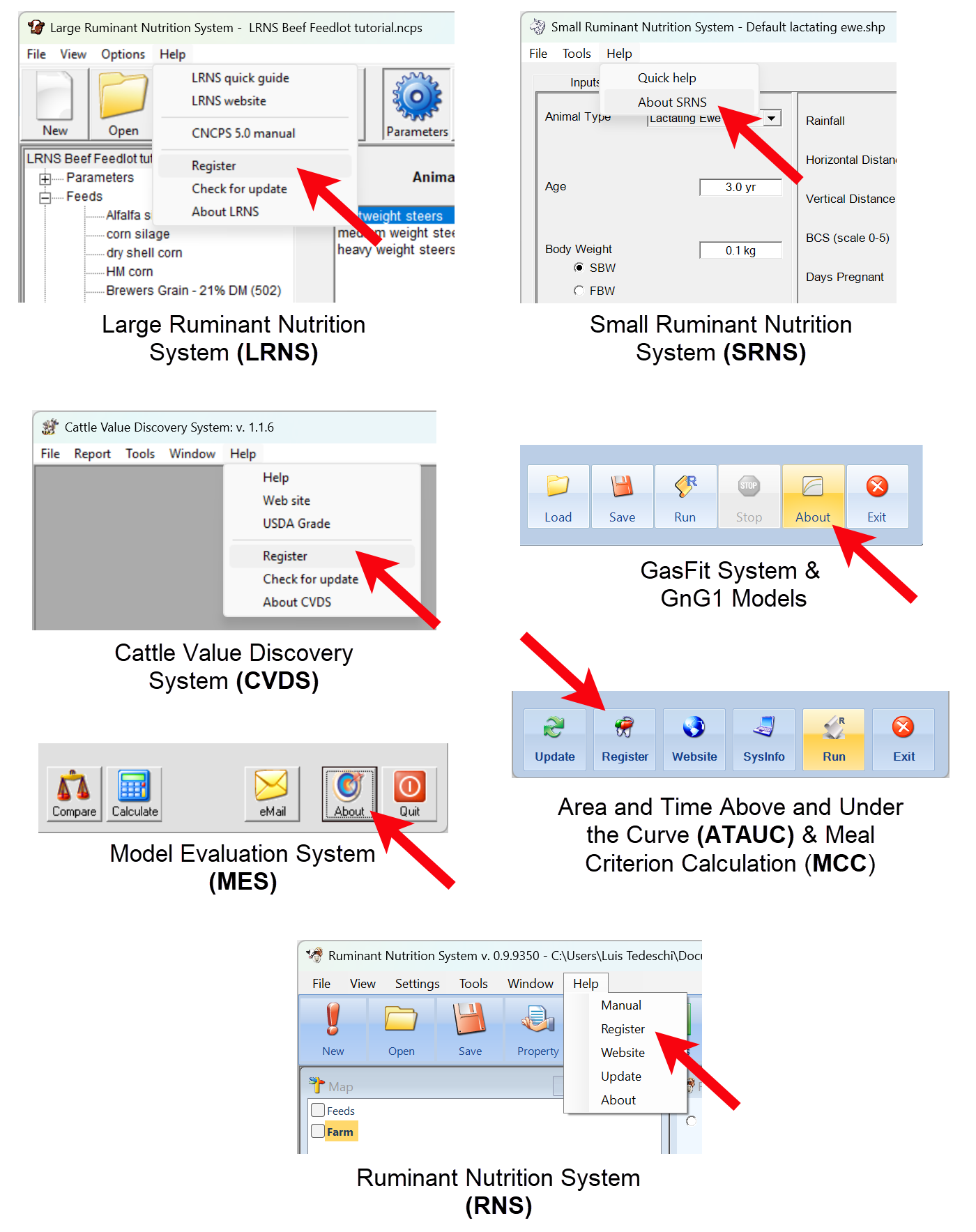
After you have purchased your software, you will need to activate it by sending the user name, company name, and the license number. Depending on the software you are registering, you will have to enter the user name, company name, and registration code or access code by clicking on the Help menu, About button, or Register. The picture below shows specific places to register your software.
|

Registration Code
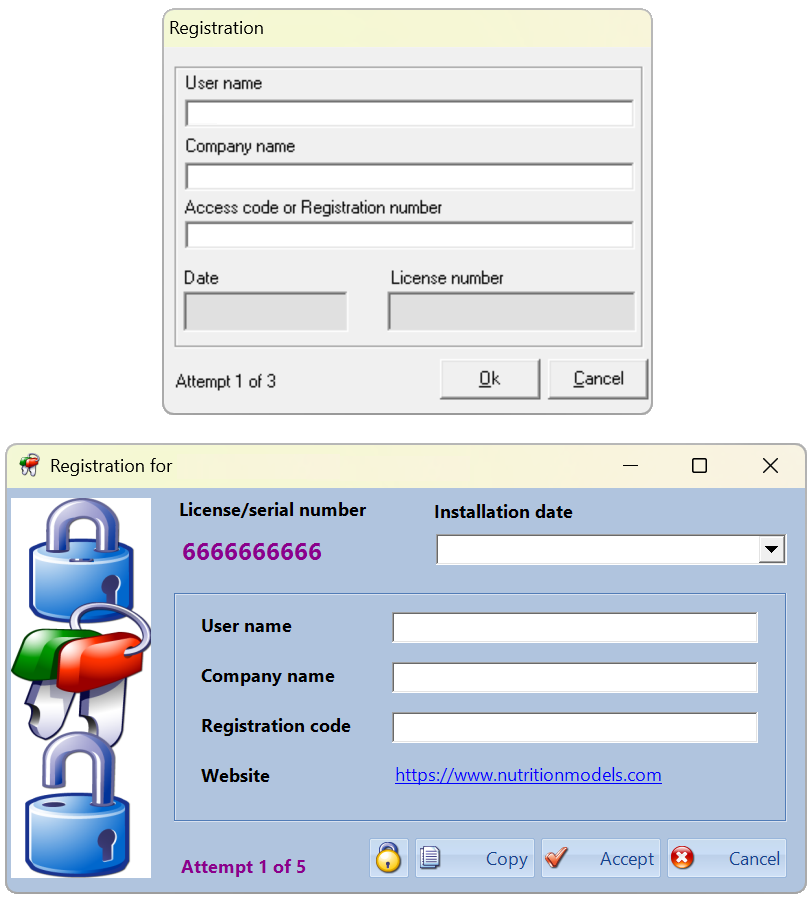
Once the user name, company name, and license number have been received and verified, you will receive the registration code or the access code. Follow the steps above to enter the complete information. The picture below shows the two types of registration screens depending on the software you are using.
|
Your Inquiry
Please fill in the form below and we will gladly reply to you as soon as possible.
Student's registration requests may be ignored if proof of academic relationship is not submitted.